Document Version: 1.0
Applies to: User App (Android/iOS)
Last Updated: July 2026
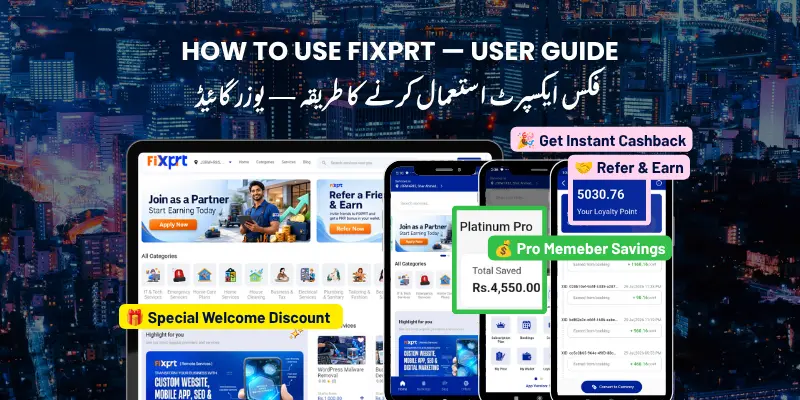
FiXPRT is an on-demand services marketplace that connects you with verified service providers in Pakistan. Whether you need home cleaning, plumbing, electrical work, AC repair, or any other service, FiXPRT helps you find, book, and pay for trusted professionals.
How it works:
Browse services → Select a provider → Book & pay → Service delivered → Review & rateKey benefits:
Get the FiXPRT User App from your app store:
Already have an account? Tap Login and enter your email and password.
You can also register or log in using Google or Facebook. Tap the corresponding social button on the login screen.
For each service, you can see: list of providers, ratings (1-5 stars), completed bookings, price range, and estimated response time. Tap a provider to view their full profile, services, reviews, availability, and location on map.
Refine your search with filters: Category, Location/Zone, Rating, Price range, Availability.
Rebook a previous service with one tap: go to Booking History, find a past booking, tap Rebook, confirm date/time.
You book → Provider accepts → Provider assigns serviceman → Serviceman arrives → Service completedYou’ll receive push notifications at every stage: booking confirmed, provider accepted, serviceman en route, serviceman arrived, service completed.
| Method | When to Pay | How to Pay | Best For |
|---|---|---|---|
| Digital | At booking | Card, JazzCash, Easypaisa | Quick, no-cash convenience |
| CAS | After service | Cash to serviceman | Pay only when satisfied |
| Wallet | At booking | Pre-loaded balance | Faster checkout |
| Offline | Before/after | Bank transfer | Large payments |
Pay online using credit/debit card, JazzCash, Easypaisa, or other supported gateways.
Pay cash directly to the serviceman when the service is completed. No upfront payment needed.
Use your FiXPRT Wallet balance. Top up using digital payment. Partial payment (wallet + CAS) supported.
For bank transfers or manual methods. Upload proof of payment; admin verifies and confirms.
| Status | What It Means |
|---|---|
| Pending | Waiting for a provider to accept |
| Accepted | A provider has accepted your booking |
| Ongoing | The serviceman is on the way or working |
| Completed | The service is done and verified |
| Cancelled | The booking was cancelled |
When a serviceman marks themselves En Route, you can see their live location on the map with estimated arrival time.
Open the booking details, tap Cancel Booking, and confirm. Cancellation policies may apply.
OTP (One-Time Password) is a security feature that ensures the service was actually completed.
How OTP works:
| Reason | Why It’s Important |
|---|---|
| Proof of completion | Confirms you agree the service is done |
| Payment release | Triggers payment to the provider |
| Fraud prevention | Ensures no false completion claims |
| Dispute protection | Provides an audit trail |
Tip: Only share the OTP when you are fully satisfied with the service. Once the OTP is entered, the booking is marked complete.
After a booking is completed, you can rate the provider (1-5 stars) and leave a comment. Your feedback helps the community and helps providers improve.
What to include: Quality of work, punctuality, professionalism, value for money, suggestions.
Tip: Fair and honest reviews help the entire FiXPRT community.
| Plan | Duration | Key Benefits |
|---|---|---|
| Monthly | 30 days | Free service fee, priority booking |
| Annual | 365 days | All monthly benefits + extra savings |
Pro Member Benefits:
Go to Profile → Pro Membership to subscribe. Payment is deducted from your wallet.
Store funds for quick payments, receive refunds, and earn cashback. Top up via Profile → Wallet using JazzCash, Easypaisa, or card.
Earn points on every completed booking. Redeem for discounts on future bookings. Check your balance in Profile → Loyalty Points.
Go to Messages from the bottom navigation to chat with your provider or serviceman. Use chat to confirm address, ask questions, give instructions, or report issues.
Receive notifications for booking confirmation, provider acceptance, serviceman status updates, messages, and promotions.
| Feature | Where to Find It | What You Can Do |
|---|---|---|
| Home | Main screen | Browse categories, featured services, search |
| Categories | Bottom nav → Categories | View all service categories |
| Bookings | Bottom nav → Bookings | View current and past bookings |
| Messages | Bottom nav → Chat | Message your provider or serviceman |
| Profile | Bottom nav → Profile | Edit profile, view wallet, manage subscription |
| Notifications | Top bell icon | View alerts and updates |
| Wallet | Profile → Wallet | Top up, view balance, transaction history |
| Pro Membership | Profile → Pro Membership | Subscribe to plans, view benefits |
| Loyalty Points | Profile → Loyalty Points | View points, redeem rewards |
| Favorites | Profile → Favorites | Saved providers and services |
| Addresses | Profile → Addresses | Manage saved locations |
| Support | Profile → Support | Get help, report issues |
| Language | Profile → Language | Switch app language |
| Blog | Menu → Blog | Read articles and tips |
| Term | Meaning |
|---|---|
| Booking | A service order you place through the app |
| Provider | A service business registered on FiXPRT |
| Serviceman | The field worker who performs the service |
| CAS | Cash After Service — pay cash at completion |
| OTP | One-Time Password — 4-digit code confirming completion |
| Wallet | Pre-loaded balance for faster payments |
| Pro Membership | Paid subscription with exclusive benefits |
| Loyalty Points | Rewards earned per booking, redeemable for discounts |
| Easy Booking | One-tap rebooking of a previous service |
| En Route | The serviceman is traveling to you |
| In Progress | The service is being performed |
| Completed | The service is finished and verified |
| Zone | Geographic area where services are available |
| Evidence Photo | Photo uploaded by the serviceman as proof of work |
| Rating | Your feedback score (1-5 stars) for a provider |
Need help? Contact support through the User App: Profile → Support
Document Version 1.0 — July 2026




Book and manage your services anytime, anywhere.